Auto-update for ABR 8.6 for Windows
Overview
We are planning to enable Auto-update for Admin By Request 8.6 for Windows on November 3rd 2025.
That means the roll-out will happen steadily over the month of November, starting with some of our smaller customers and ending up with the largest ones, for customers that have Auto-update enabled.
In this advisory:
This advisory is available in PDF format:

Browser Extension Setting
Admin By Request (ABR) for Windows Version 8.6 introduced a new Browser Extension designed to streamline the elevation process for downloaded installers.
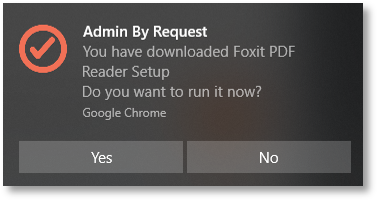
When a non-administrator downloads an executable from Chrome or Edge, the extension triggers a system tray toast notification, allowing the file to be elevated and run directly - without navigating to the Downloads folder.
This feature is enabled by default upon installing Version 8.6 and installs a lightweight browser extension that does not collect data or interfere with other extensions; it simply subscribes to browser file download events.
From release 8.6.3, the registry is checked to see where ABR registry keys should be installed: HKLM or HKCU (the default).
Refer to Registry Keys for more information.
If you would prefer not to use this functionality, you can disable it in the portal:
Endpoint Privilege Management > Settings > Windows Settings > Lockdown > RUN AS ADMIN
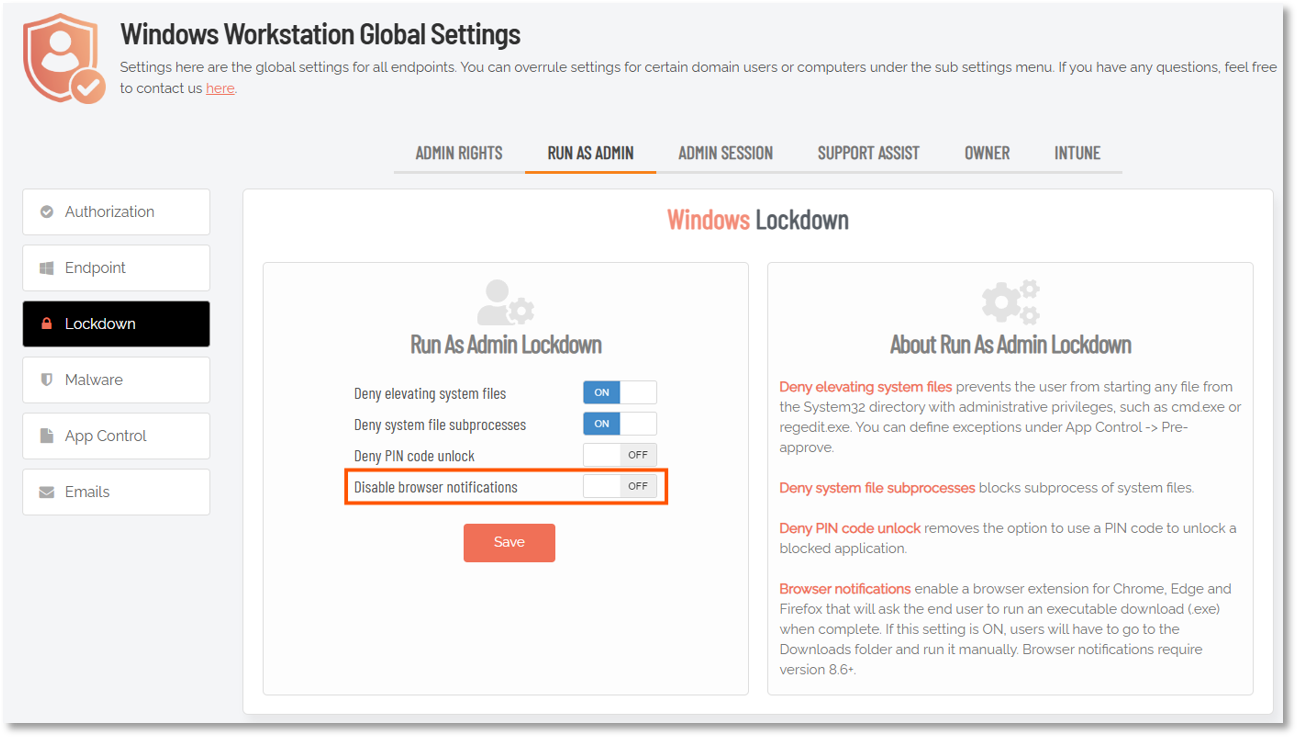
If you don't want to use this feature, set Disable browser notifications to ON in the portal before installing any 8.6.2+ endpoints and before the auto-update process starts updating to version 8.6.
Keep in mind that auto-update will begin updating Windows endpoints to version 8.6 on 3 November 2025 and continue throughout the month of November. See the next section for details on disabling auto-update.
Auto-update Setting
The Auto-update setting controls whether or not ABR software updates are pushed to your clients over the Internet, in a similar way to Windows Update. Endpoint software updates are less than 3 megabytes in size and are typically pushed in bulk four to eight weeks after general availability.
If you would prefer not to use auto-update, you can turn it off in the portal:
Settings > Tenant Settings > Auto-Update > WINDOWS WORKSTATION
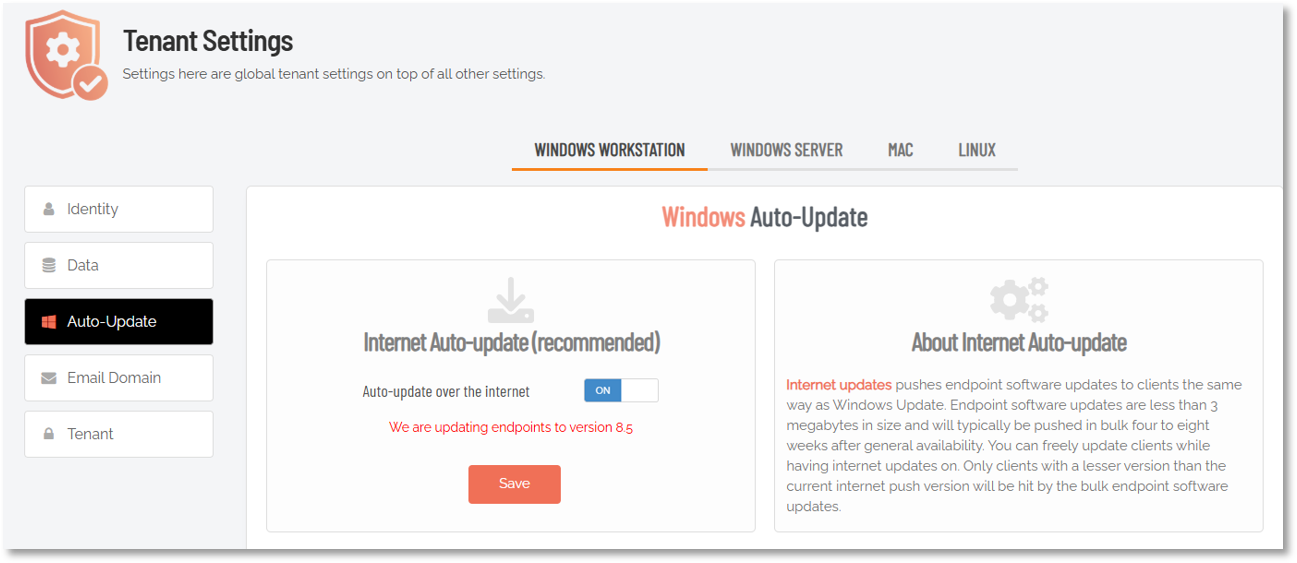
From November 3rd, this will advise updates are underway to version 8.6. However, no auto-updates will be done in your tenant if you have Auto-update over the Internet set to OFF.
Of course, if you turn the setting ON, auto-updates will start from that time.