Webhooks
About Webhooks
Webhooks are a method to access your data from Admin By Request and funnel it into an external application, such as a ticketing system.
Using Webhooks
Many SaaS systems allow you to integrate with webhooks – such as getting notified in Teams or Slack by pointing a webhook from Admin By Request to such a system.
Webhooks in Admin By Request have the same data structure as the public API, i.e. a JSON format.
You configure webhooks in the portal for your entire tenant. There are no individual configurations for Windows, Mac, etc.
 Create a new webhook
-
In the main portal navigation, click Settings -> Tenant Settings.
-
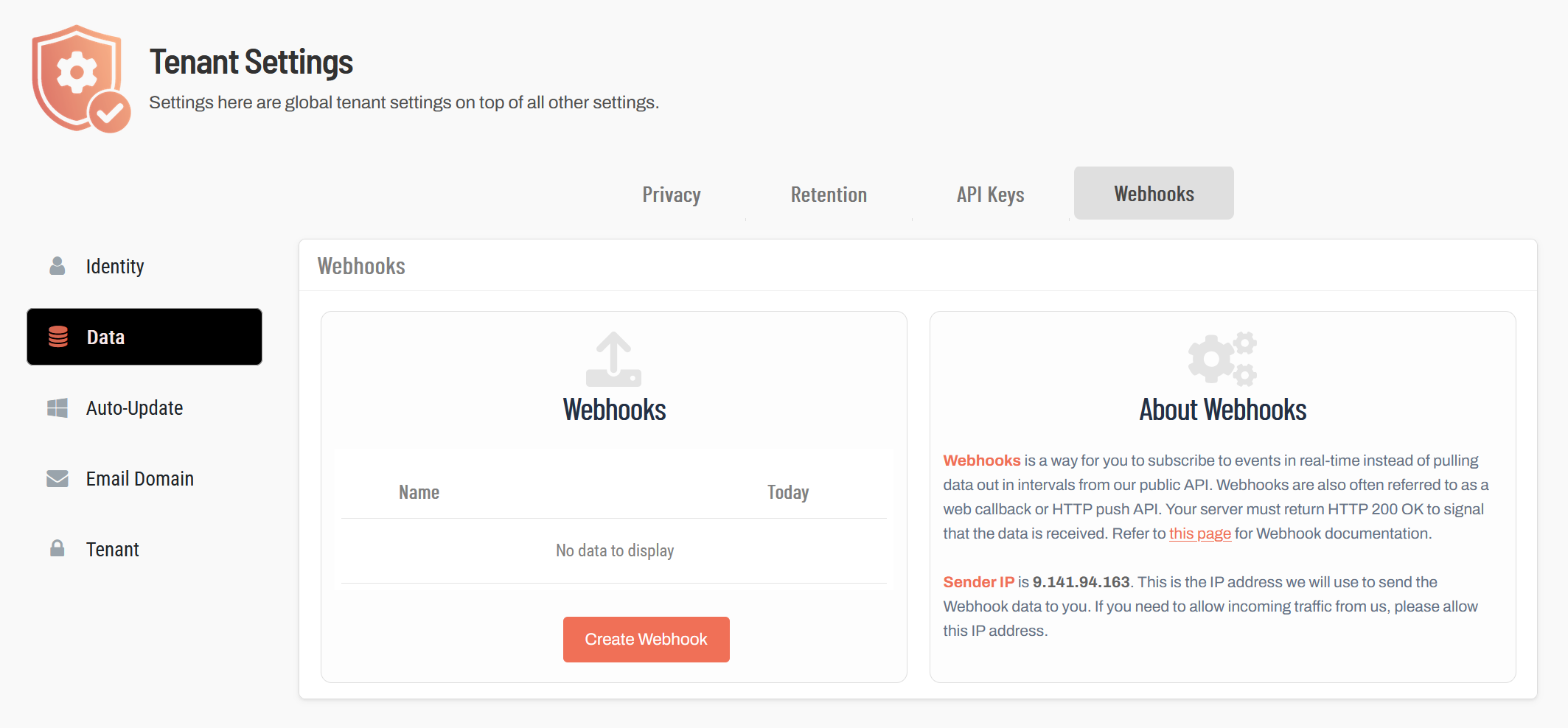
In the navigation pane, click Data and switch to the Webhooks tab.
-
Click Create Webhook.
-
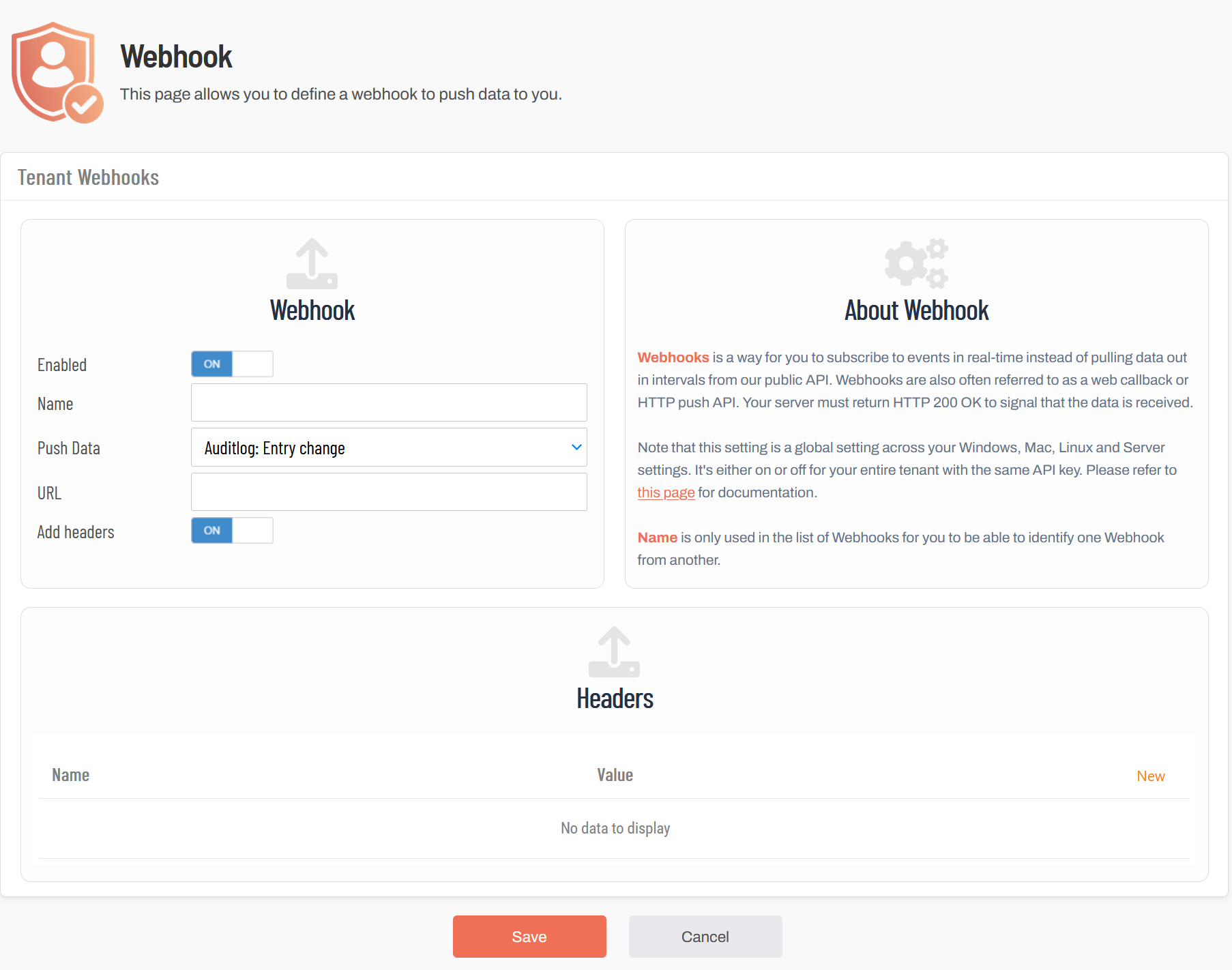
In the Webhook panel, set the Enabled switch to On.
-
Enter a name for your new webhook. The name can be arbitrary, it is only used to distinguish individual entries in the list.
-
From the Push Data drop-down field, select the type of event that should be pushed to the webhook.
-
In the URL field, enter the URL of your public web server that should receive the pushed data. Note that the server must respond to the received data with HTTP 200 - OK.
-
To add headers to the incoming data:
-
Set the Add headers switch to On.
-
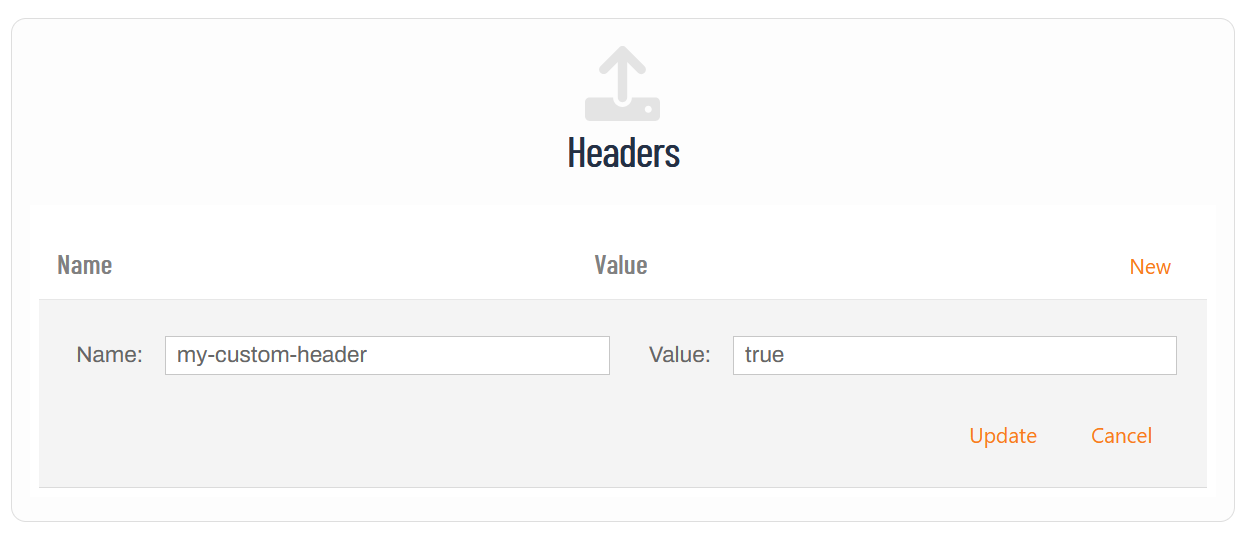
In the Headers panel, click New to add a new header.
-
In the Name and Value fields, enter the desired name and value of the header.
-
-
Click Update.
-
Click Save to save your new webhook. It is now listed on the Webhooks page and ready to use.