How Do We Use ChatGPT?
Overview
ChatGPT is an artificial intelligence chatbot, created and developed by OpenAI. The system is designed to simulate conversational, human responses to prompts and questions by using large amounts of information that it collects from the internet.
These types of responses are possible because ChatGPT is trained on a huge database of websites, books, articles and many other texts, which help it to compute the patterns of natural, more human-sounding language. However, it is important to realize that the underlying mechanism is purely statistical and not cognitive. Like any other AI chatbot, ChatGPT does not actually "understand" what it is talking about, nor can it conceptually grasp the difference between correct and incorrect information. While this means that one should always be careful to verify a chatbot's responses before basing important decisions on them, it is still a very useful tool for quickly looking up information.
This article explains how we use ChatGPT to provide an extra resource for administrators tasked with approving or denying privilege elevation requests.
The Admin By Request Use Cases
Requests
You can use ChatGPT when a user requests privilege elevation via Run As Admin (i.e. to execute a single command or program). ABR provides a link in the request that enables you to get more information about the command or program.
This feature is available only to administrators tasked with approving or denying requests and it is available only from a Run As Admin request. It is not available from an Admin Session request.
For example, the user "Win Standard" in the following image has requested elevation via Run As Admin to install Webex from Cisco:

Before approving or denying a user request, you can click the AI Assistance button to find out more about the command or program in question, in this case webex.exe.
The response from ChatGPT is reasonably detailed. Continuing with the Webex example, clicking the AI Assistance button produces the following response in the portal:
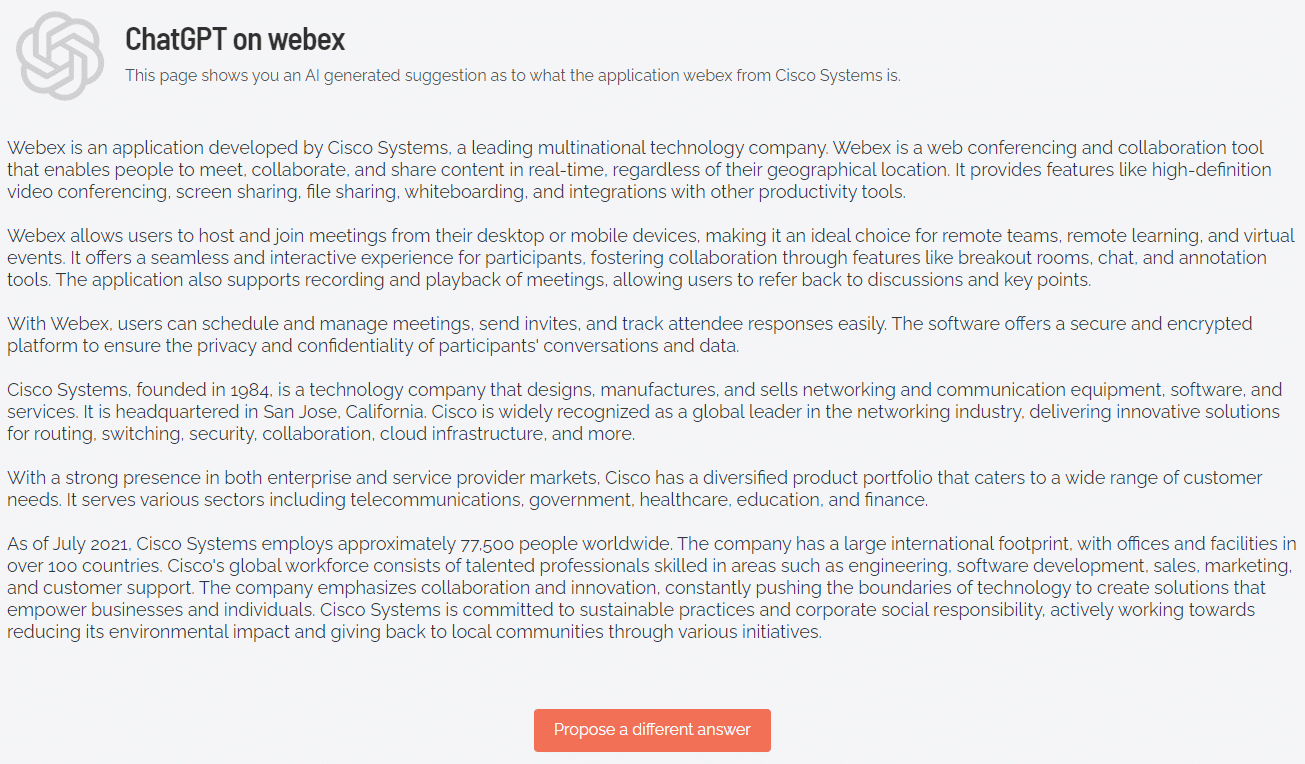
You can click Propose a different answer to generate another response (this is ChatGPT’s “Regenerate” feature).
Auditlog
You can also access Admin By Request’s ChatGPT capability from the Auditlog. Simply expand the endpoint device for which Run As Admin has been requested and click Ask ChatGPT what this is under the Actions heading:
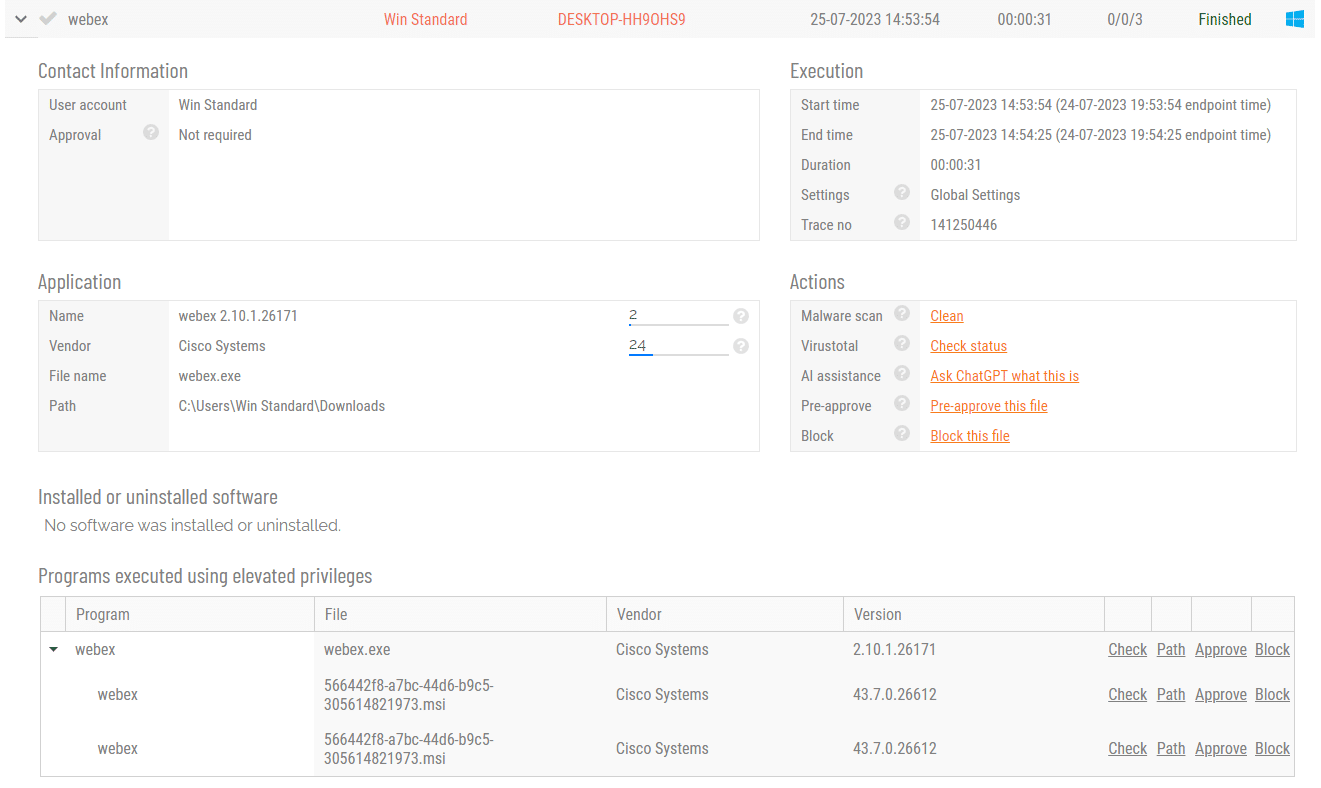
This works regardless of the state of the Run As Admin request. In the above example, the request is actually finished, but it could also still be pending.
FAQ
Is it safe to use ChatGPT in the Admin By Request portal?
Yes, it is just as safe as making a Google search. Questions sent to ChatGPT are not used for answers.
How does ChatGPT get its data?
ChatGPT gets its data the same way Google does: web scraping. We do not provide a private data set to ChatGPT. You will see the same type of answer as you would get on OpenAI.
Does Admin By Request send data to ChatGPT?
No. ChatGPT gets its data from public web scraping. We send a question and get a reply back as you would get on OpenAI.
How specifically does Admin By Request use ChatGPT?
We use a paid service at OpenAI. If you use the AI Assistance link on the application Adobe Reader XI, essentially it would be the same as if you:
-
Go to https://openai.com/chatgpt and log in.
-
Type in “Please provide in 300 words a description of the application Adobe Reader XI by vendor Adobe Inc.”
Can OpenAI “see” that it’s me pressing the AI button?
No. It’s a server-to-server call. OpenAI will always see only the same four (4) source IP addresses, which are ours.
Can I disable ChatGPT in the portal?
Yes, please contact your Account Executive.