Shutdown and reboot the computer.
Do one of the following:
-
If your computer boots using BIOS, press and hold down the Shift key while GRUB is loading.
-
If your computer boots using UEFI, press the Escape key (Esc) while GRUB is loading.
-
As you’re booting the computer, wait for the manufacturer logo to flash from the BIOS. If your computer boots too quickly, you’re going to need to do this immediately after powering it on. Quickly press the Escape key.
The timing has to be near perfect on some computers, so you may have to press the key repeatedly. If you miss the window, reboot and try again.
At the GRUB boot menu. you’ll see an entry for “Advanced Options ...”. Select it and press Enter.
Choose the most recent recovery mode option and press Enter.
If a menu similar to that shown below appears, choose the option that gets you to a shell prompt:
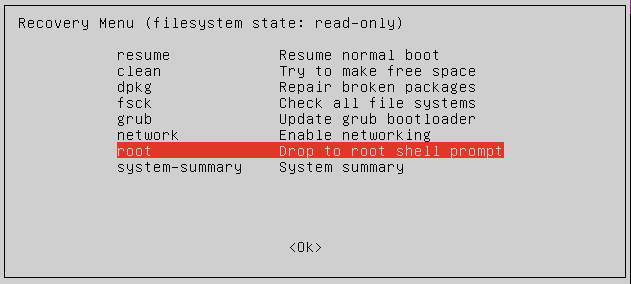
At the Password: prompt, enter the root password..
Now you can uninstall Admin By Request for Linux by executing the following command: